
Controls for Carnival of Terror Obby
WASD, jump, orbit camera, shift lock — set them before the plaza music changes.
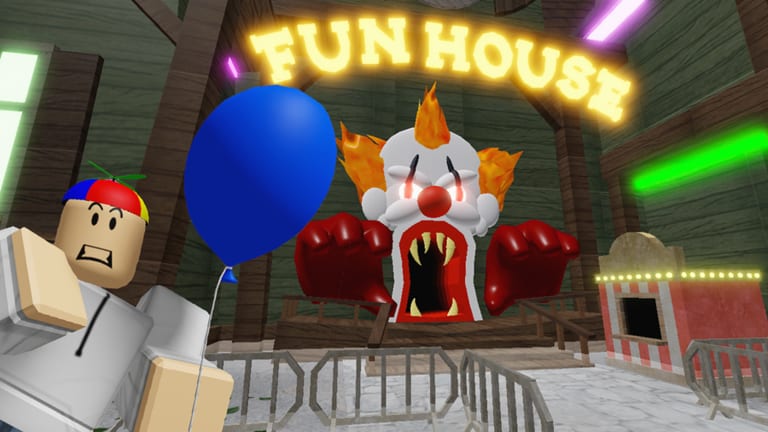
Escape The Carnival of Terror Obby uses default Roblox movement. There is no custom skill bar and no hold-to-crouch puzzle. Bad binds still cause deaths because lava, fire jets, and the plaza chase punish late jumps and slow camera. Set this page once, then go back to Getting Started or the walkthrough.
Servers hold 10 players. Other avatars do not change your keybinds. They can block a thin beam or fill a Ferris cabin. Your job is to keep movement, jump, and camera as three separate habits so a scare does not steal all of them at once.
PC, mobile, and console
On PC, move with WASD or the arrow keys. Jump with Space. Orbit the camera by holding right mouse button and dragging. Zoom with the scroll wheel. That zoom matters on lava rails and in the funhouse: a slightly pulled-out view shows fire jets and floor seams that a face-cam hides.
On mobile, move with the thumbstick and jump with the on-screen button. Drag on empty screen to turn the camera. Pinch to zoom if your device allows it. Put your jump thumb where you can tap without covering the stick. The boiler hands and Doom Drop seats are harder when jump and steer fight for one thumb.
On console, left stick moves, face button jumps, right stick orbits. Treat the right stick as a correction tool, not a cinematic sweep. If your look sensitivity is high from other Roblox games, lower it for this obby. The plaza clown is easier to escape when a small stick nudge does not 180 your facing.
| Action | PC | Mobile | Console |
|---|---|---|---|
| Move | WASD or arrows | Thumbstick | Left stick |
| Jump | Space | Jump button | Face button |
| Camera | Right-click drag | Drag | Right stick |
| Zoom | Scroll wheel | Pinch | Camera modifiers |
| Shift lock | Left Shift after enabling | Toggle in menu if offered | Toggle in Roblox menu |
Shift lock and chase camera
Shift lock keeps your move direction tied to camera facing. Enable it in the Roblox menu before you need it. It helps on thin boiler beams, Ferris cabin lips, and volcano pads because a strafe does not drift into lava while you peek. It hurts if you lock facing the evil clown during the plaza sprint.
For the chase, point at the Ferris wheel first, then lock, then run. Beat the Clown is the tactic page; this page is why the tactic fails when your camera is a second joystick for panic. Do not hold right-click and spin while you also try to steer. Pick orbit or lock, not both in the same second.
Scroll zoom out one or two notches from default for lava and the funhouse. Zoom in only if a cabin boarding lip is hard to see. Too close during a jumpscare puts the clown in your entire screen on purpose. Too far on mobile makes the jump button easy to miss. Split the difference.
Coils, VIP, and why jumps feel different
Default walk speed is the speed the course was built around. The VIP pass at 2000 Robux is the product still shown on sale. Older speed coils, gravity coils, and jetpacks are largely off sale. Before you buy anything, read the gamepass list so you are not hunting a gear icon that no longer appears in the shop.
A speed coil or VIP speed makes lava gaps and the plaza run-up easier and makes short boiler platforms and funhouse tapers easier to overshoot. A gravity coil or higher jump changes pad math on the volcano: blue jump pads plus extra height can send you past the next plate. Jetpack-style flight, when someone still owns an old copy, skips intended lines and will not teach you the legal route the speedrun guide splits into Glitchless versus glitch categories.
Practice the first two checkpoints at default speed even if you own VIP. You need a baseline. Then turn the pass on and notice which rooms get safer and which rooms get sloppy. Coils do not save a sitting if you leave; checkpoints still reset. They also do not create codes. The codes hub stays empty on a normal week.
If a jump feels late, the cause is usually camera, not a missing key. Rebind only if Space or your face button is fighting another overlay. Keep jump on a dedicated finger. The carnival is online multiplayer, but your inputs are local. A friend can stand on a pad and call “yellow fire, then blue.” They cannot press Space for you.
When the binds feel boring, you are done with this page. Boring binds are the point. Go run the legal line, then come back only if a device change (phone to PC, or a new sensitivity) made the plaza feel alien again. The guides hub will still list Controls next to Getting Started because the first sitting dies on camera more often than it dies on lore. Jim can talk. Your jump key has to answer.
Frequently Asked Questions
Quick answers to the most common carnival questions.
What is the jump key on PC?
Space. Arrows or WASD move. Right-click drags the camera. Scroll zooms.
Should I use shift lock?
Yes on thin beams and cabin lips if you already face the goal. Do not lock facing the clown in the plaza.
How do I play on a phone?
Thumbstick to move, on-screen button to jump, drag to look. Keep the camera a little high so fire jets stay visible.
Do coils change the course?
They change feel. Extra speed and height make some gaps free and some landings sloppy. See the gamepass list.
Why does my camera freeze during the chase?
You are probably orbiting to stare. Stop dragging, face the Ferris wheel, and run. Tactics are on Beat the Clown.
Can I finish on console?
Yes. Lower look sensitivity if a small right-stick nudge turns you into the clown. Jump stays on the face button.